I Built and Shipped a Personal Expense Tracker in 9 Hours with Cursor
From Excel spreadsheets to a live app at wiseexpensetracker.in — how Cursor, Vercel, and Neon helped me ship a privacy-first finance tracker in a single weekend.
- cursor
- nextjs
- vercel
- neon
- personal-project
- ai-assisted-development
For years I tracked income and expenses in Excel. It worked — until it didn’t. Every month meant copying rows, fixing formulas, and reconciling bank statements by hand. And every time I looked at commercial expense apps, the same question stopped me: who else is reading this data, and what are they selling about me?
I wanted something I could use every day — on my phone, across accounts, with real reports — without handing my shopping patterns to a third party. So I built it myself. In roughly nine hours over one weekend: six hours to a working model, three more to something I would actually keep using. It is live now at wiseexpensetracker.in.
This is the builder story — not a tutorial, but an honest account of what Cursor made possible when motivation finally met a free Saturday.
The problem I was solving
Most free finance apps are free for a reason. Your transaction history, merchant names, and spending rhythms are valuable. I did not want another product monetizing my habits. I wanted:
- Income and expenses in one place — not scattered across sheets and bank apps
- Multiple account types — bank, credit card, loan, cash, wallet
- Reports I could trust — category breakdowns, trends, debt visibility
- Access from my phone — without publishing to an app store
- Data I own — my database, my rules, no ads
That is a real product scope. Not a weekend toy. I had put it off for years because I assumed it would take months.
Why Cursor changed the equation
I have shipped security tooling and automation at work. I am comfortable with code. But starting a full-stack app from scratch — schema design, auth, deployment, mobile layout, charts — still felt like a multi-week side project I would abandon after the schema was half done.
Cursor changed that math.
Instead of staring at a blank repo, I could describe intent in plain language and iterate in tight loops: add reconciliation, forecast liquid cash after EMIs, parse this UPI SMS. The agent read the existing codebase, matched conventions, and proposed diffs I could accept or steer. Planning happened in the same window as implementation. When something broke, I pasted the error and we fixed it in context — not after twenty minutes of tab-switching.
It felt less like “AI wrote my app” and more like pair programming with someone who never got tired of reading the repo.
The honest part: I still made the product decisions. Which features mattered. What “done” looked like. When the forecast was too pessimistic. When the mobile nav needed another pass. Cursor accelerated execution; it did not replace judgment.
The timeline
| Phase | Time | What shipped |
|---|---|---|
| Working model | ~6 hours | Google sign-in, Neon Postgres schema, accounts, manual transactions, categories, basic dashboard |
| Daily driver | ~3 hours | Reports, reconciliation, scheduled debits (SIPs/EMIs), SMS import, cash-flow forecast, PWA install, custom domain |
| Today | — | Excel retired; app installed on my phone home screen |
That is not marketing copy. That is what happened when I stopped planning and started building with an agent that could keep up.
What we actually built
Wise Expense Tracker is a personal finance app — built for one user (me), but structured like software I would maintain.
Core tracking
- Multiple account types with opening balances, credit limits, and EMI due days
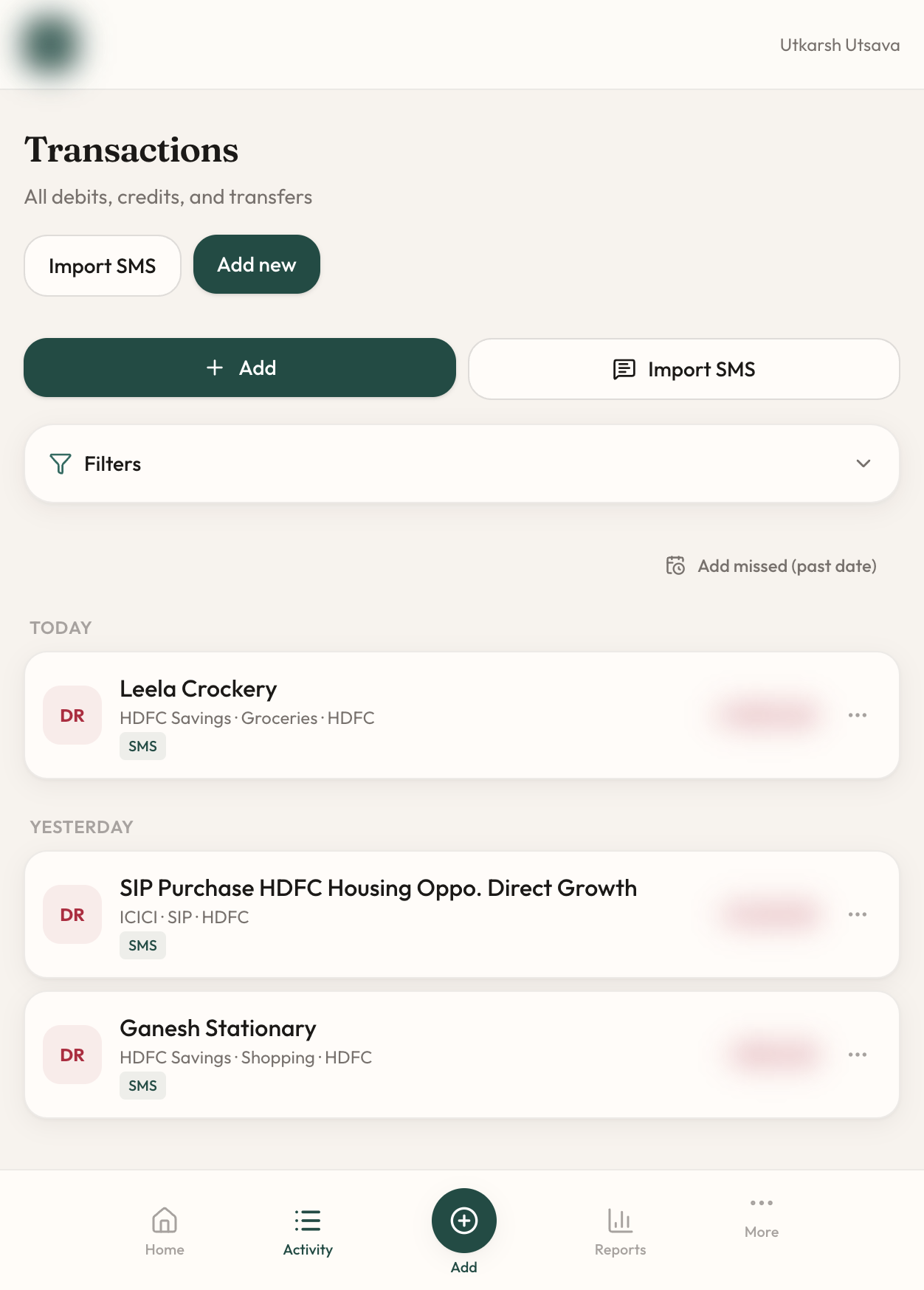
- Manual debit/credit entry and inter-account transfers
- Categories, platforms, filters, and pending transaction review
Dashboard and reports
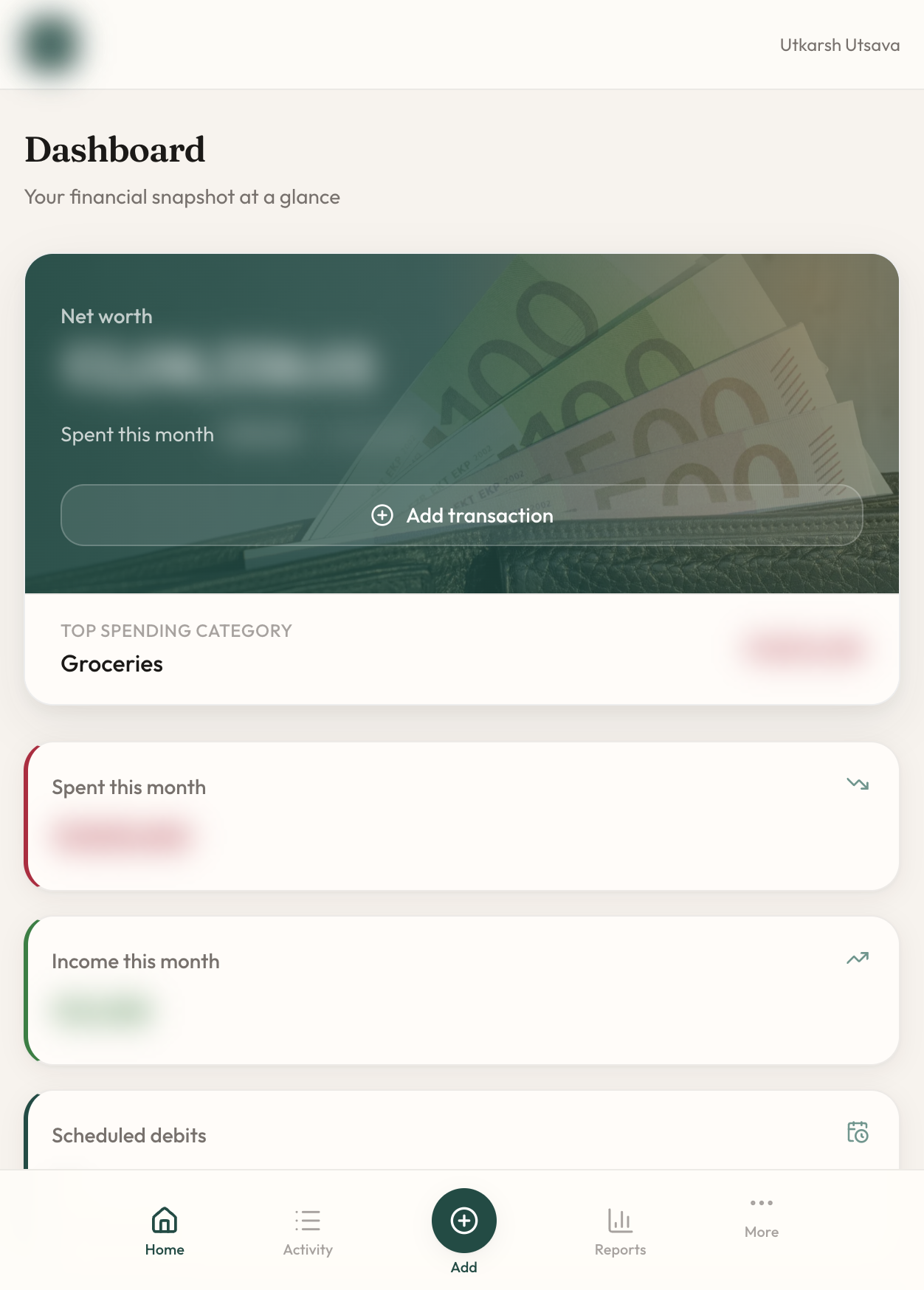
- Net worth, monthly spend and income, top categories, debt overview
- Category pie chart, platform spending, six-month income-vs-expense trend
- Credit utilization bars on card accounts
Beyond a basic tracker
- Reconciliation — compare statement balance against computed balance, with duplicate detection
- Scheduled debits — SIPs, EMIs, subscriptions with flexible recurrence (weekly, monthly, quarterly, and more)
- Cash flow forecast — answers a question Excel never could: after remaining scheduled debits this month, how much liquid cash will I have?
- SMS import — paste an Indian bank or UPI alert; rule-based parsing with an optional AI fallback extracts amount, date, and merchant
Phone-ready without an app store
The app is a Progressive Web App. Open the site on your phone, tap Add to Home Screen, and it runs standalone — bottom navigation on mobile, sidebar on desktop. No Play Store submission. No separate React Native codebase.
The stack (and why it costs zero)
I optimized for free tiers and boring, reliable tools:
| Layer | Choice |
|---|---|
| Framework | Next.js 16 — App Router, server actions |
| Database | Neon Postgres + Drizzle ORM |
| Auth | Auth.js with Google OAuth (identity only — not data mining) |
| Hosting | Vercel Hobby |
| AI pair programmer | Cursor |
| Charts | Recharts |
| Styling | Tailwind CSS 4 |
Monthly running cost: $0 on Neon and Vercel free tiers. My data sits in my Neon project. Google OAuth handles sign-in. Nobody is running ads against my grocery receipts.
How Cursor showed up in the work
A few moments that would have eaten entire evenings without an agent:
Schema first, features second. We modeled accounts, transactions, transfers, reconciliation sessions, and scheduled debits in Postgres before polishing UI. Cursor kept migrations and server actions aligned as the model grew.
Cash flow forecast. I wanted to know whether liquid accounts would survive the rest of the month’s EMIs. That meant new domain logic — which accounts are “liquid,” which scheduled debits remain, how to avoid double-counting spend already reflected in balances. We spec’d it in a plan doc, then implemented cash-flow.ts and a dashboard section in one sitting.
SMS import for Indian banking. Paste an HDFC or UPI-style alert, get a draft transaction. Rule-based parsing first; LLM fallback when the format is weird — with rate limiting and prompt hardening so untrusted SMS text cannot hijack the parser.
Deploy and domain. Environment variables, OAuth redirect URIs, AUTH_URL for production, DNS for wiseexpensetracker.in — the unglamorous last mile that kills most side projects. Having an agent that already knew the repo made this feel like checklist work instead of archaeology.
What I would do differently
- Start with scheduled debits earlier. EMIs and SIPs drive my cash anxiety; the forecast should have been day-one priority, not a polish pass.
- Screenshot the dashboard sooner. Future-me will want before/after visuals for posts like this.
- Trust the PWA path. I briefly wondered if I needed a native app. I did not. Add to Home Screen is enough for daily use.
What “done” feels like
I open the app on my phone like any other installed shortcut. I log a debit in seconds. I check whether I can afford next week’s SIP without opening three bank apps and a spreadsheet. I reconcile a card statement when the PDF arrives. I do not wonder who is profiling my Amazon habit.
Excel is retired. The app is mine.
If you have been sitting on a personal tool idea — something too niche for the app store, too private for a SaaS signup — this is your nudge. The stack is free. The domain is cheap. The hard part was always starting.
Cursor did not replace the builder. It removed the excuse.
Live app: wiseexpensetracker.in
Stack repo: private for now — happy to share patterns if you are building something similar.
Questions or your own Cursor shipping story? Find me on LinkedIn.